Entra ID Governance Deep Dive
The time has come to write a blog about Entra ID Governance. There are a lot of cool functionalities that can help managing users and their permissions during their lifetime. This blog can be used as a guide on how to get started but Microsoft just released a really nifty “how-to” guide on implementing ID Governance: Entra ID Governance deployment guide.
Identity is the most important thing to protect in a modern cloud environment. Most of the cyberattacks that we witness nowadays almost explicitly begin with a user’s identity that has been compromised through phishing or other means. It’s not that cool and sexy as it is in movies where a person with a black hoodie chops away at the keyboard, disables three firewalls and says “I´m in”. Sure black hoodies are the fashion choice of many, but all of the other stuff is Hollywood fiction.
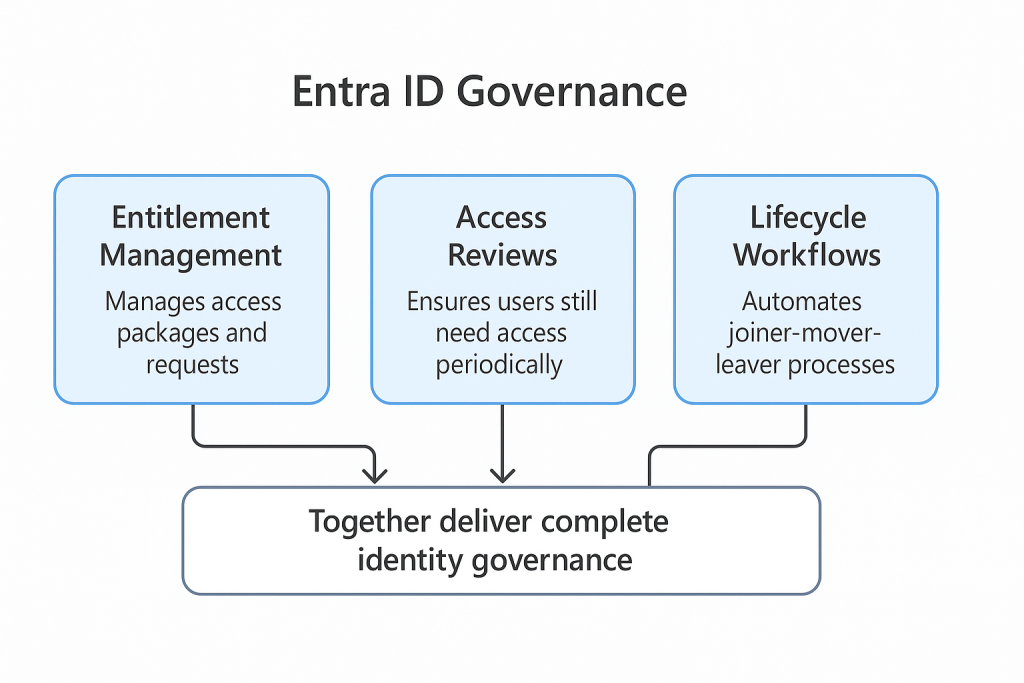
The core of Entra ID Governance covers three pillars:
- Entitlement Management — Who has access to what, and can they request more?
- Access Reviews — Who should still have access?
- Lifecycle Workflows — What happens when someone joins, moves, or leaves?
I like to think that Entitlement Management, Access Reviews, and Lifecycle Workflows all tie together, even though each one of them can technically exist without the others. However, in order to make any of these “usable” or efficient, you should have basic information about user properties in order. Fields like Department, Company, and Title are important for automating things later.
Entitlement Management
As the name suggests, the main function of Entitlement Management is to manage entitlements. Entitlements is a fancy word for access but it describes nicely the side that users are entitled to access some information or apps.
Catalogs
Managing access is traditionally an IT process and it is something that is quite hard to do great. IT teams do not know what type of access a person needs or which apps they use.
Access packages are more often than not a set of resources grouped together under a catalog. For example, a “Marketing basic” access package might include:
- Access to the Marketing SharePoint site
- Membership in the Marketing M365 Group
- A specific Teams channel
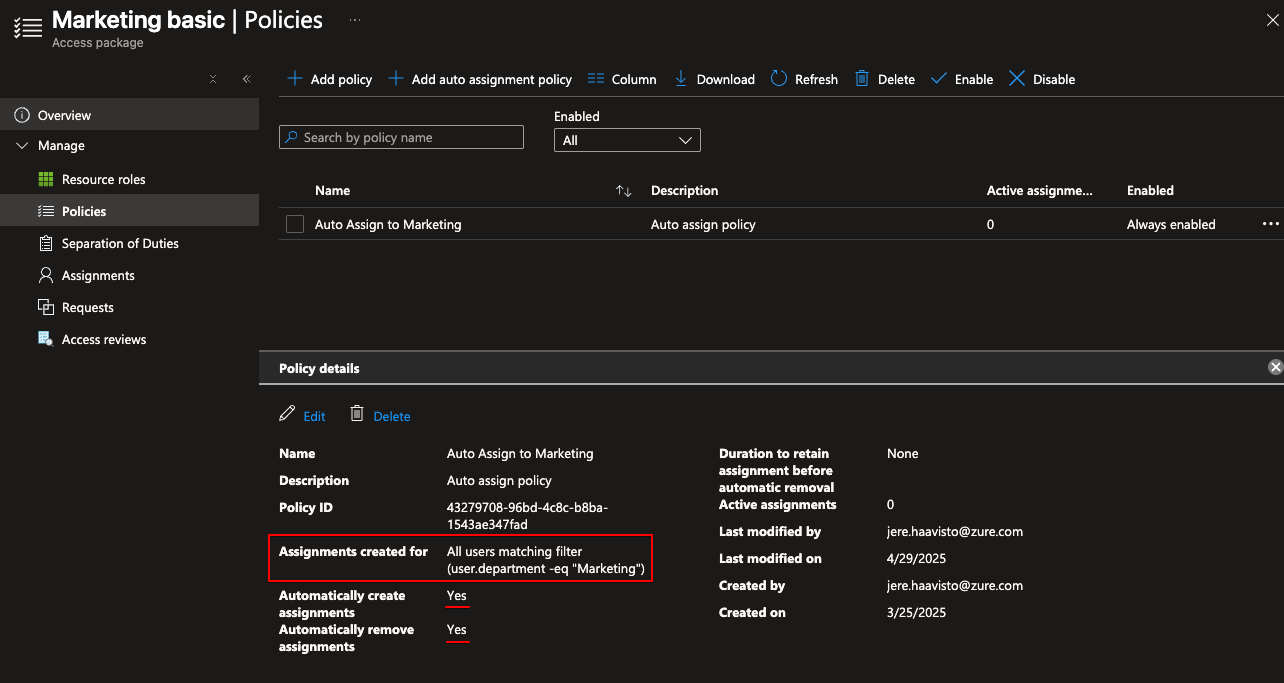
Access Requests
Let’s say that you have users in sales that want to sometimes access the marketing materials. That’s ok but you don’t want them to have standing access to said resources. You can use the same “Marketing basic” package and create another policy that enables users to request access.
Here I made a policy that requires one approver, the requester must provide justification, and after approval the access expires in 14 days:
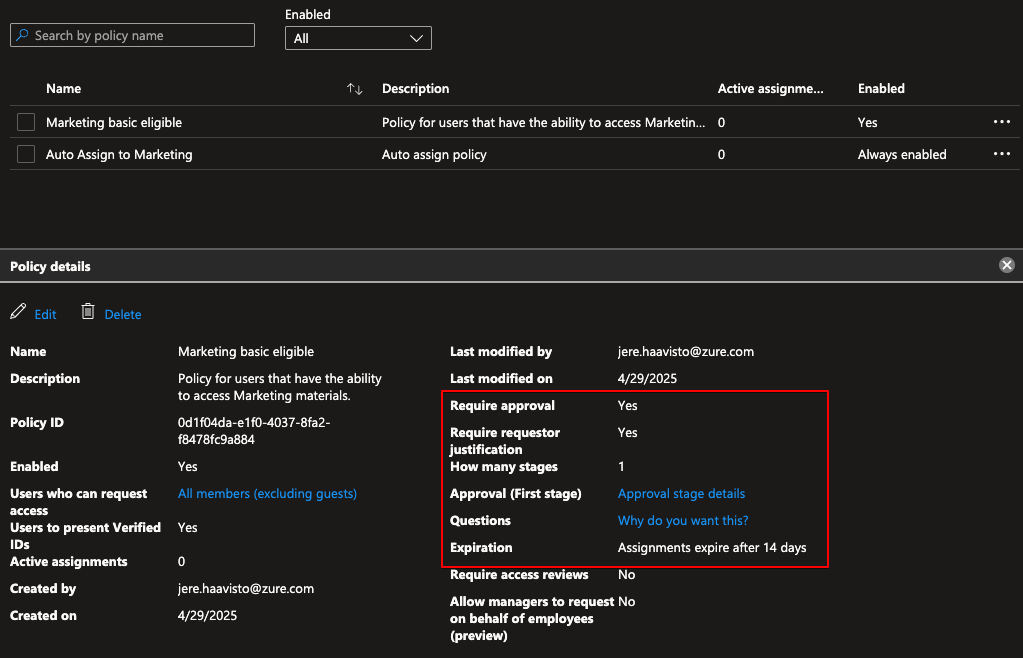
Users then request access via the My Access portal.
Lifecycle Workflows
Do you have the problem of having a new employee start and people are scrambling around for their password which you find in a random mailbox created two weeks ago? Many organizations do.
Think of Lifecycle Workflows as automation rulesets for different parts of employee lifecycle. You start with a template and create your custom rules to fulfill the need in your org:
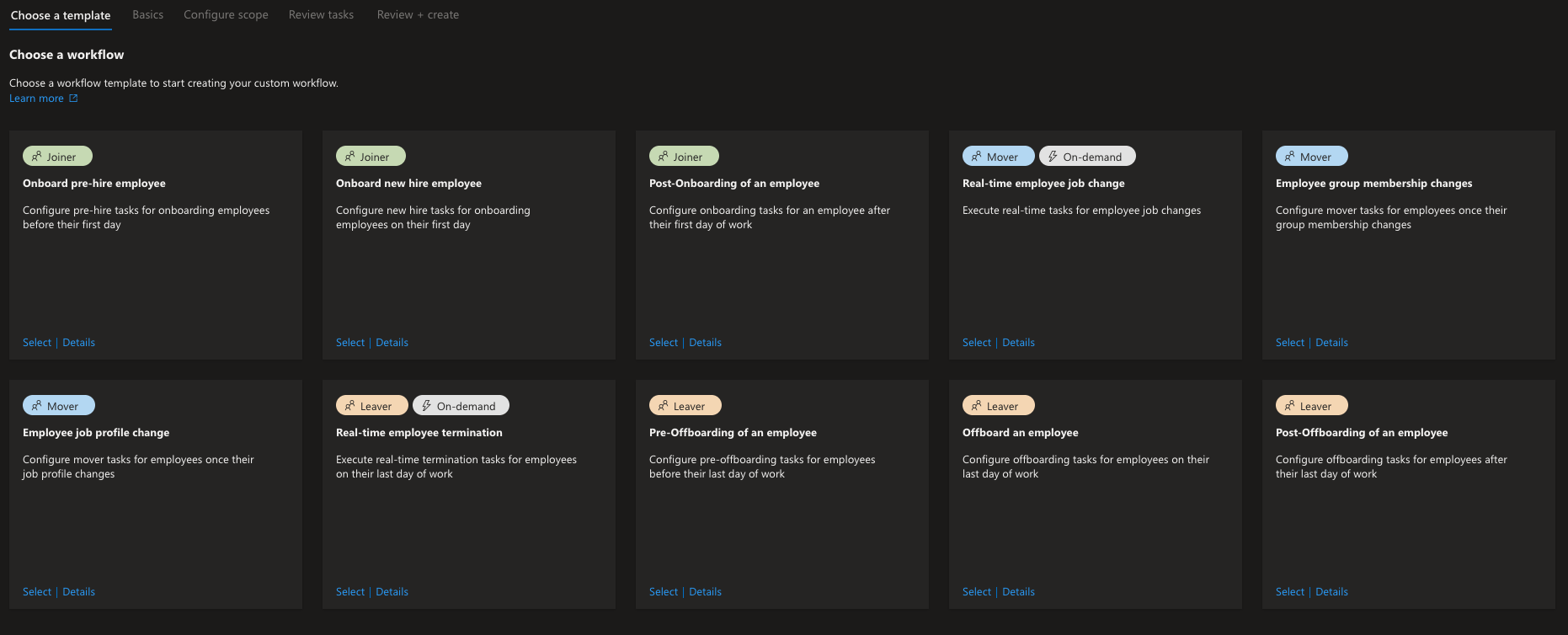
Options are limitless as there is a Custom Task Extension option which means you can run a Logic App triggered by the workflow.
Key use cases:
- Joiner: Provision accounts, send TAP to manager, assign groups automatically.
- Mover: Update department attributes, swap access packages when someone changes roles.
- Leaver: Book exit reviews, add user to a Sentinel watchlist for data exfiltration monitoring, disable account.
Conclusion
Whoa. This was a wall of text and took a while to create as pre-summer is quite busy as a consultant. I hope that you got some ideas from this! Please don´t hesitate to contact me if you need help with Entra ID Governance.
Remember to check my other posts as well: Blogs