Defender for Cloud Apps: Do You Know What SaaS Apps Are Being Used in the Organization?
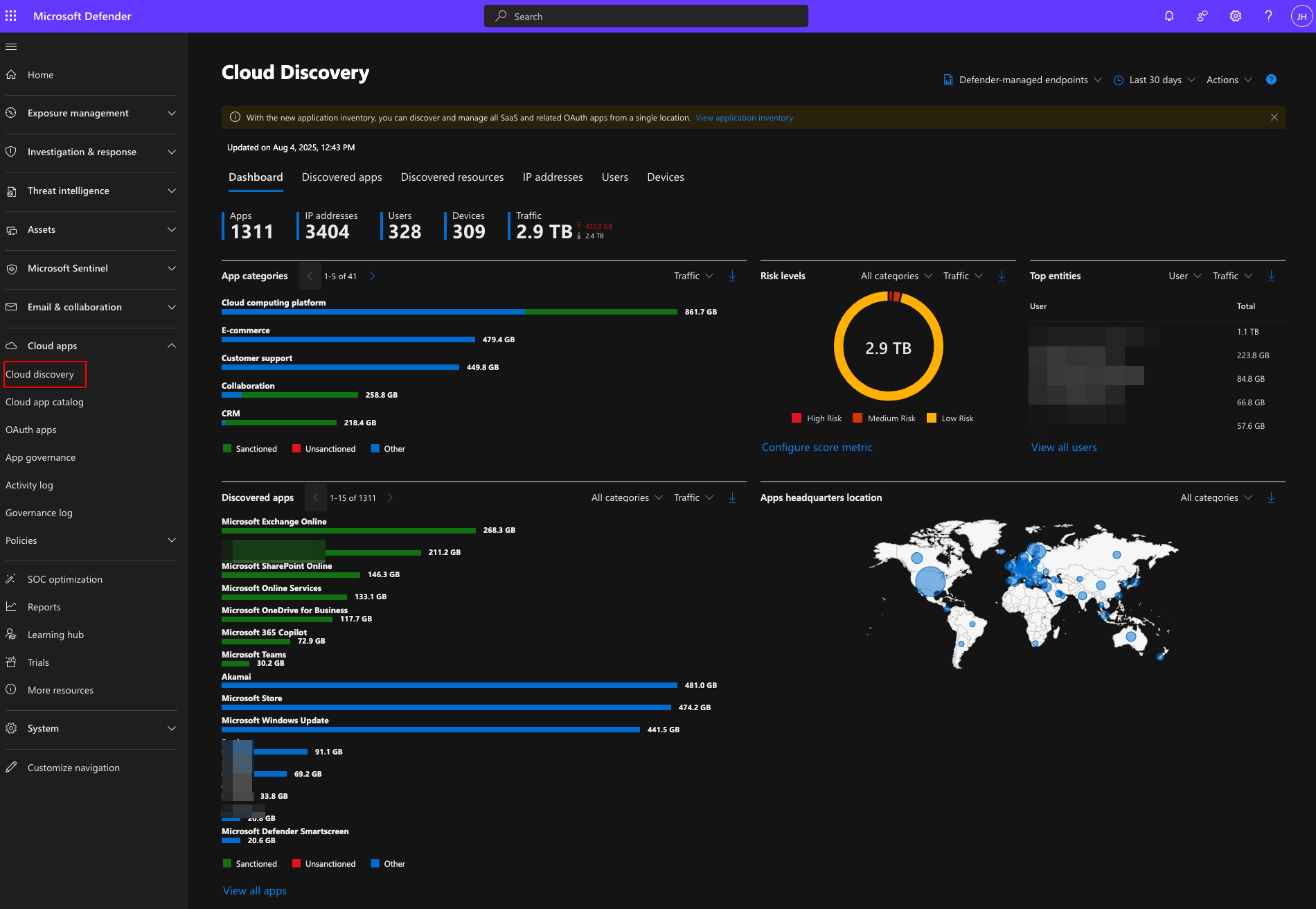
What is Defender for Cloud Apps?
Defender for Cloud Apps aims to tackle the security problems that come with the increasing use of SaaS applications in an organization. Users can quickly and easily start using a SaaS application — even consenting to it with their work credentials if your app consent processes are in default mode. It is therefore increasingly important to see and manage where your users do/can upload your data to.
It provides you with the following functionalities:
- Cloud Access Security Broker (CASB) (included in Defender for Business, E3, or Defender for Endpoint Plan 1)
- Provides Shadow IT discovery, visibility into Cloud App usage, and built-in information protection and compliance assessments.
- SaaS Security Posture Management (SSPM)
- Advanced threat protection
- Comes as a part of Defender XDR and combines Defender for Cloud Apps with the rest of the ecosystem.
- App-to-app protection
- Extends the core threat scenarios to OAuth-enabled apps in your environment.
Prerequisites & Licensing
To get full CASB functionality you need Microsoft Defender for Cloud Apps, which comes with:
- Microsoft 365 E5 / E5 Security
- EMS E5
- Or as a standalone add-on
For basic Shadow IT discovery, Defender for Endpoint integration is sufficient.
Shadow IT Discovery
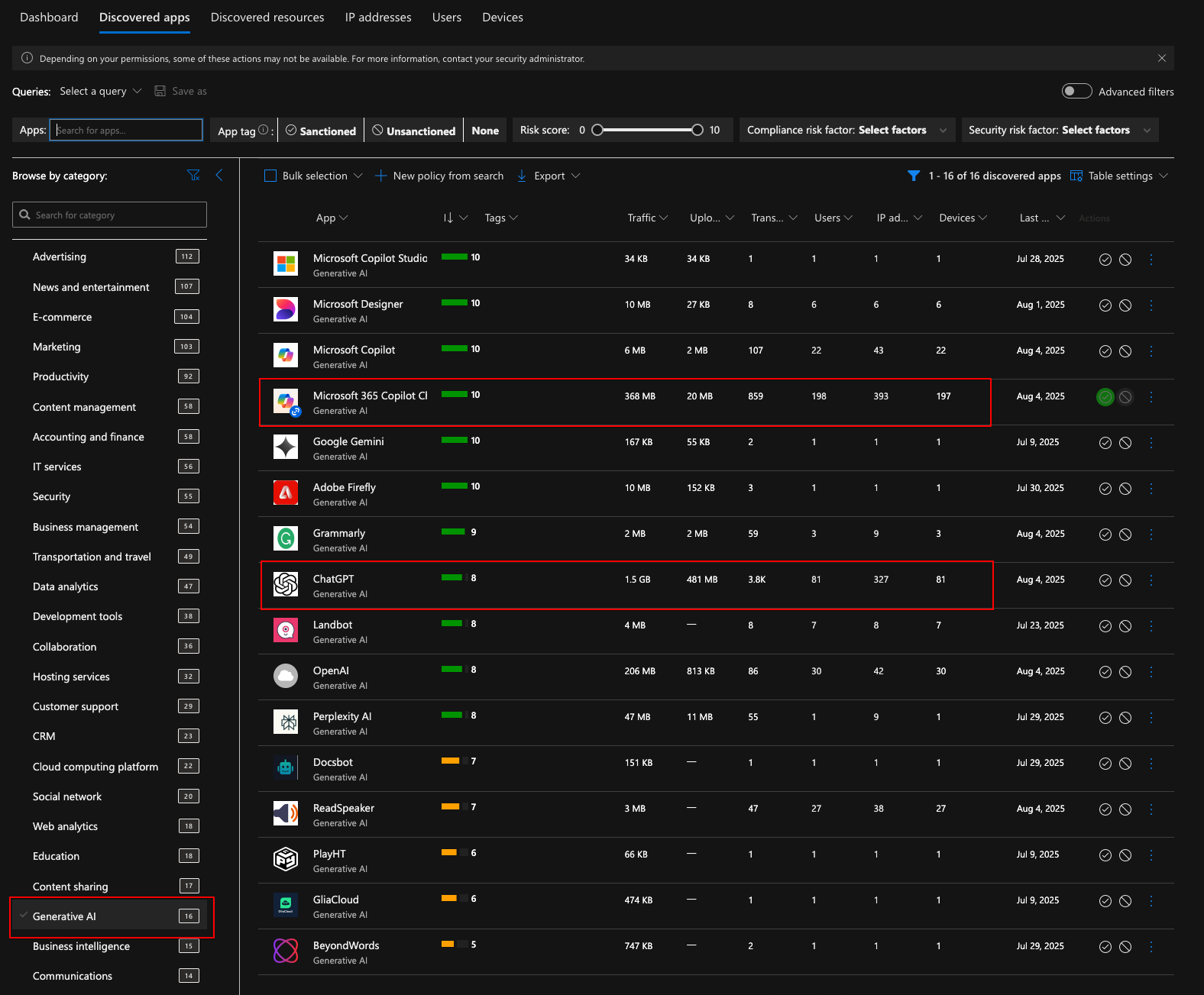
Once enabled, the Cloud App Catalog shows you all discovered apps with a risk score. Below is a breakdown of ChatGPT — it has a risk number of 8 because it did not pass checks for remember password and Privacy Shield:
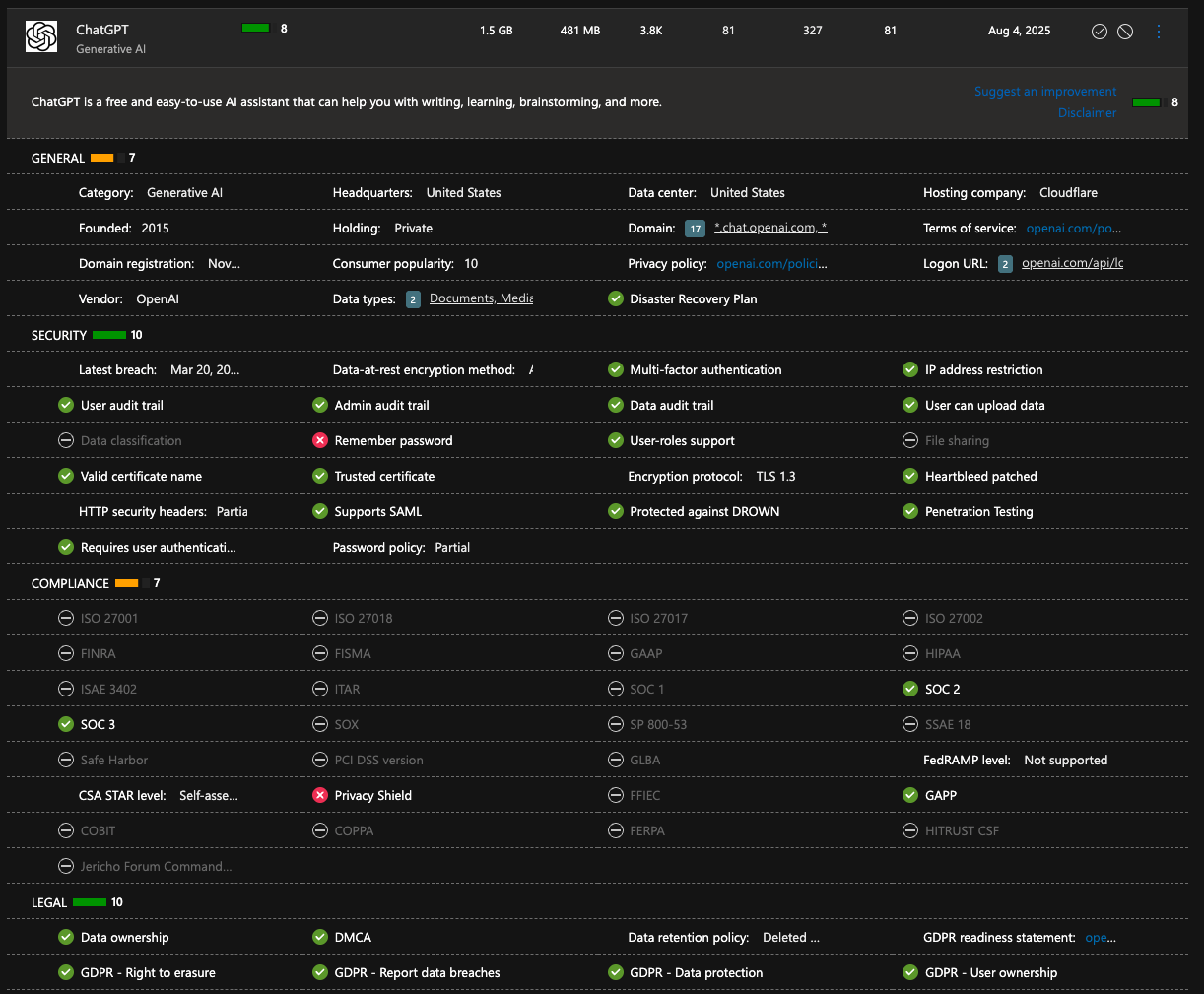
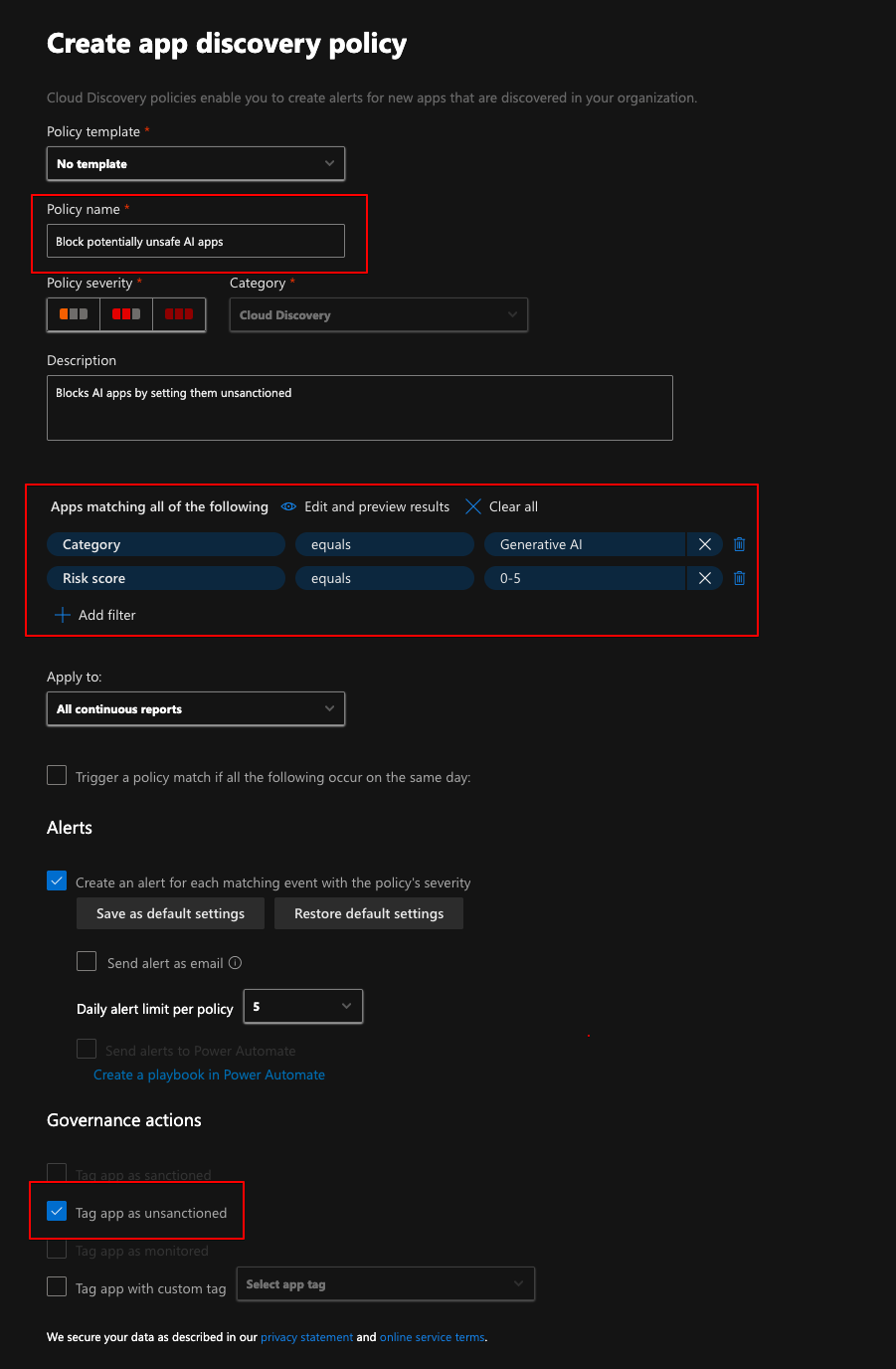
This data can be used to base policies on. For example, I would not like to allow any generative AI apps with a risk score below 6, so I could create an app discovery policy and tag those apps as unsanctioned.
Policies
A powerful functionality in Defender for Cloud Apps is using policies. You can:
- Create App Discovery policies to automatically tag apps based on risk score
- Set apps as Sanctioned or Unsanctioned
- Block access to unsanctioned apps through Defender for Endpoint integration
Testing the block (in Monitored mode)
For testing purposes I set ChatGPT to monitored mode first. It takes a while for the settings to propagate — the estimate is 30 min to 3 hours.
The user still can use the client but the notification keeps popping up unless they click unblock. The browser blocks access altogether.
After tagging ChatGPT as Unsanctioned and waiting for enforcement, both the browser and native client are blocked:
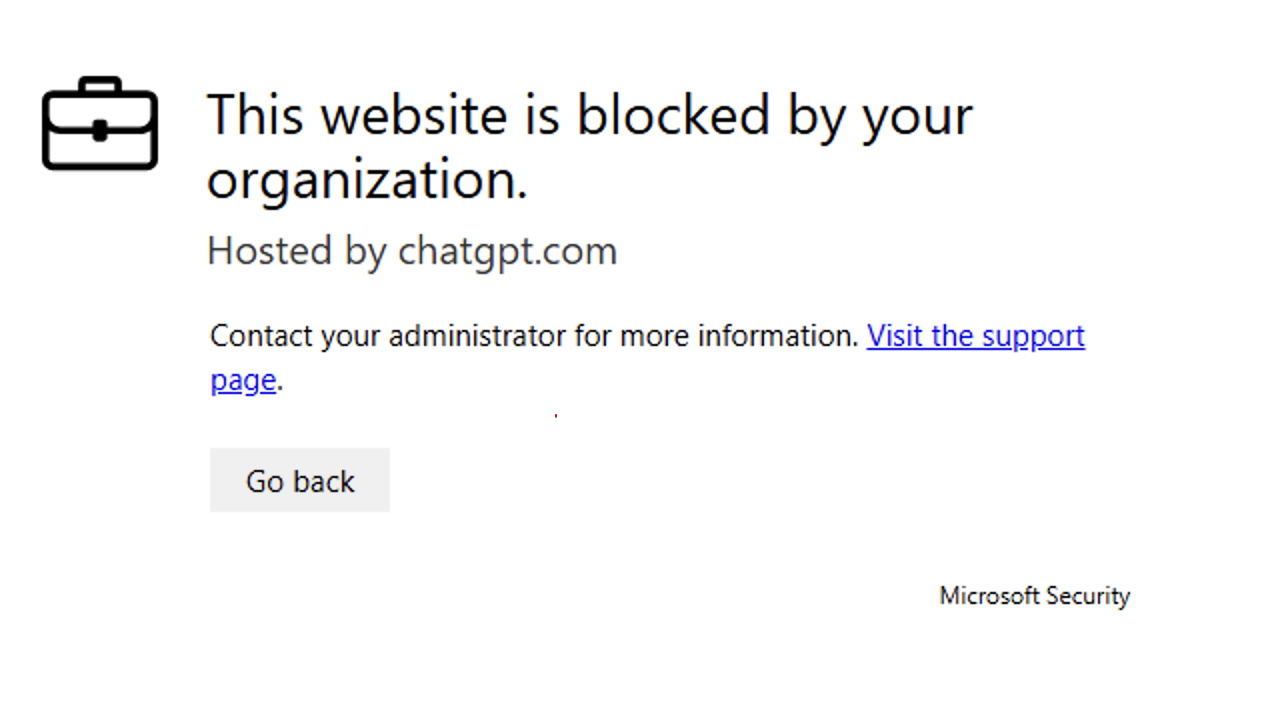
Now you can easily monitor the usage of blocked apps and use that data to educate users about the alternative AI tools you provide them. Don´t get me wrong — I think it is absolutely necessary to use AI tools and I would not just block access to tools before defining which tools to use.
Conclusion
There are a lot of great functionalities and tools in Defender for Cloud Apps. This post only scratched the surface with a very specific use case to demonstrate one functionality. Defender products generally have a lot of functionality that is not used, just because specialists do not have the time to test and familiarize themselves with everything.
Working as a consultant gives me the opportunity and privilege to see different environments as well as different ways of doing things. This is really valuable because I can really see different solutions to problems.