Secure Access to Azure VMs with Bastion and Phishing Resistant MFA
Long time no see. I’ve been quite busy and it’s been hard to find time to explore new things. This time, my curiosity got the best of me as my colleague from my previous employer asked a question about jump hosts in LinkedIn and I really had to carve some time to figure this thing out in Bastion.
The question was related to jump hosts and phishing resistant authentication methods through them to the resource servers. Jump hosts (or jump servers) are a security best practice for accessing resources in restricted network segments.
Architecture
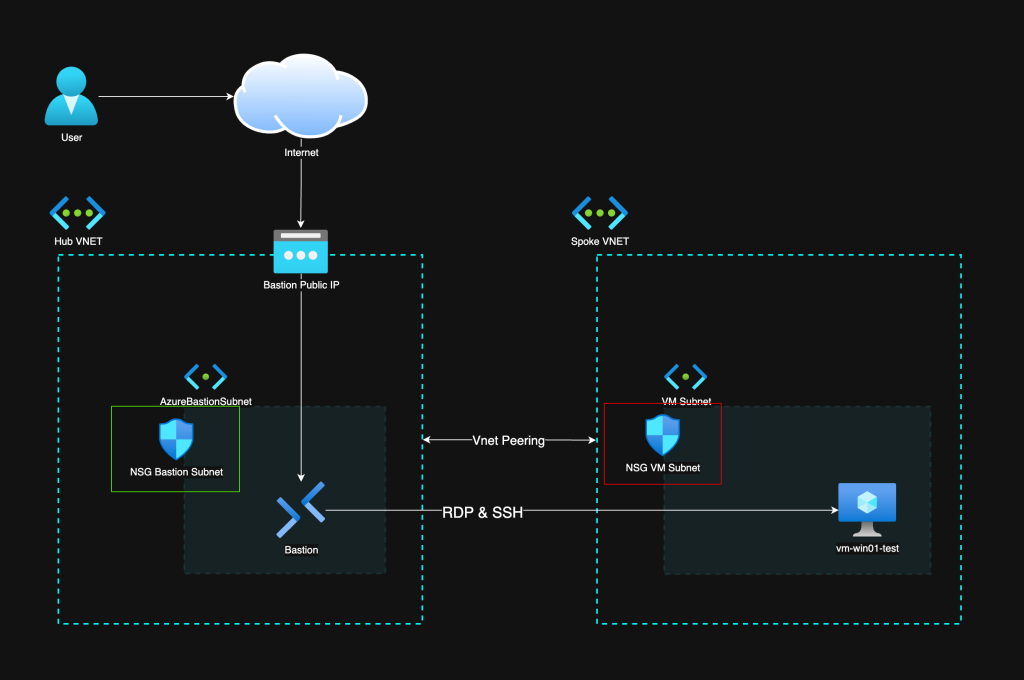
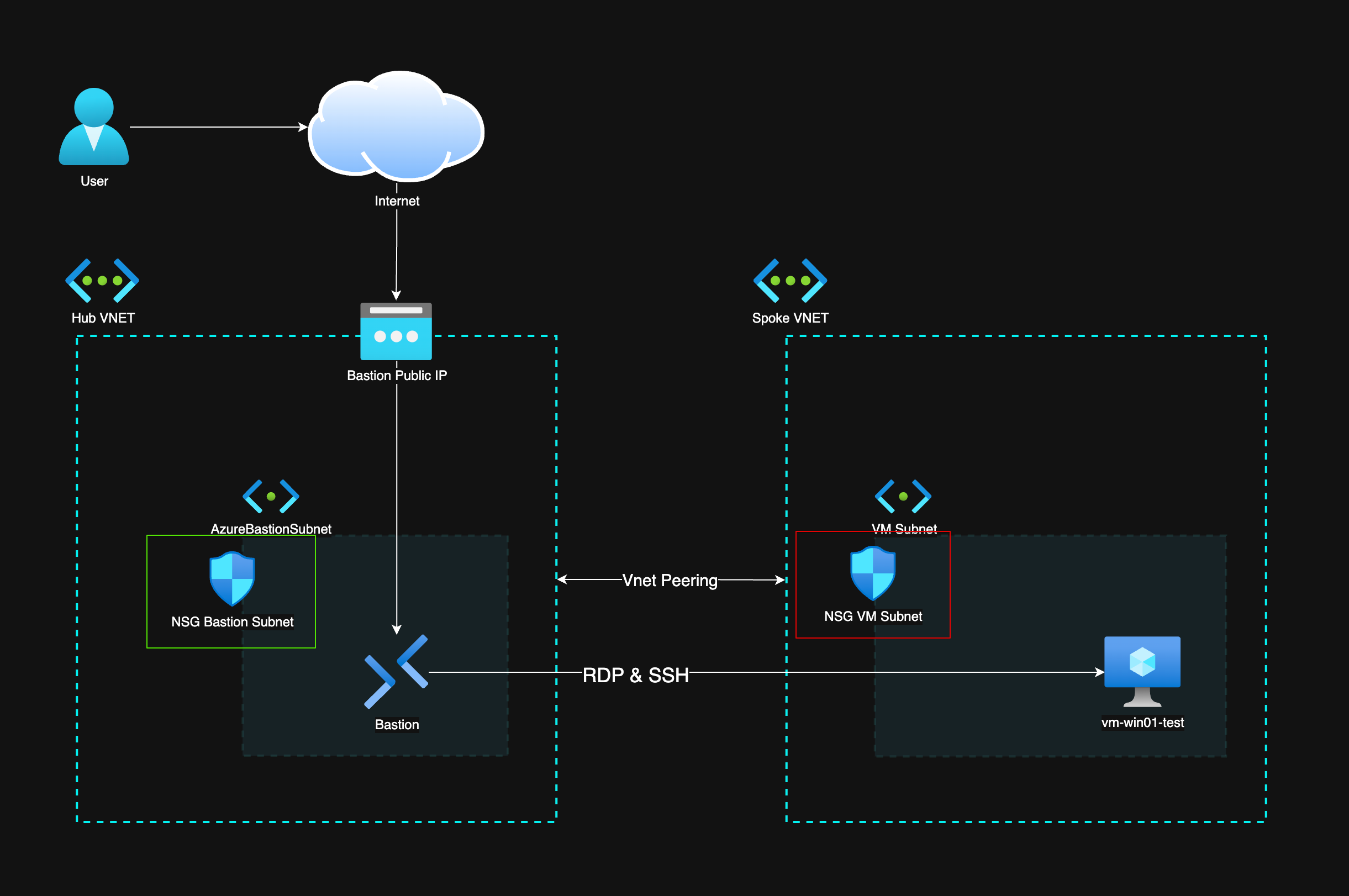
The way Bastion works is that it is in its own subnet that needs to have port 443 (HTTPS) allowed from the internet for connectivity. I have placed it into a hub-spoke network architecture, which is also recommended by Microsoft Cloud Adoption Framework. The hub is a place for shared components like Bastion, and the spokes can be secured in their unique ways depending on the workloads there. In this case there is just a VM in the spoke that we are connecting to.
NSG Rules
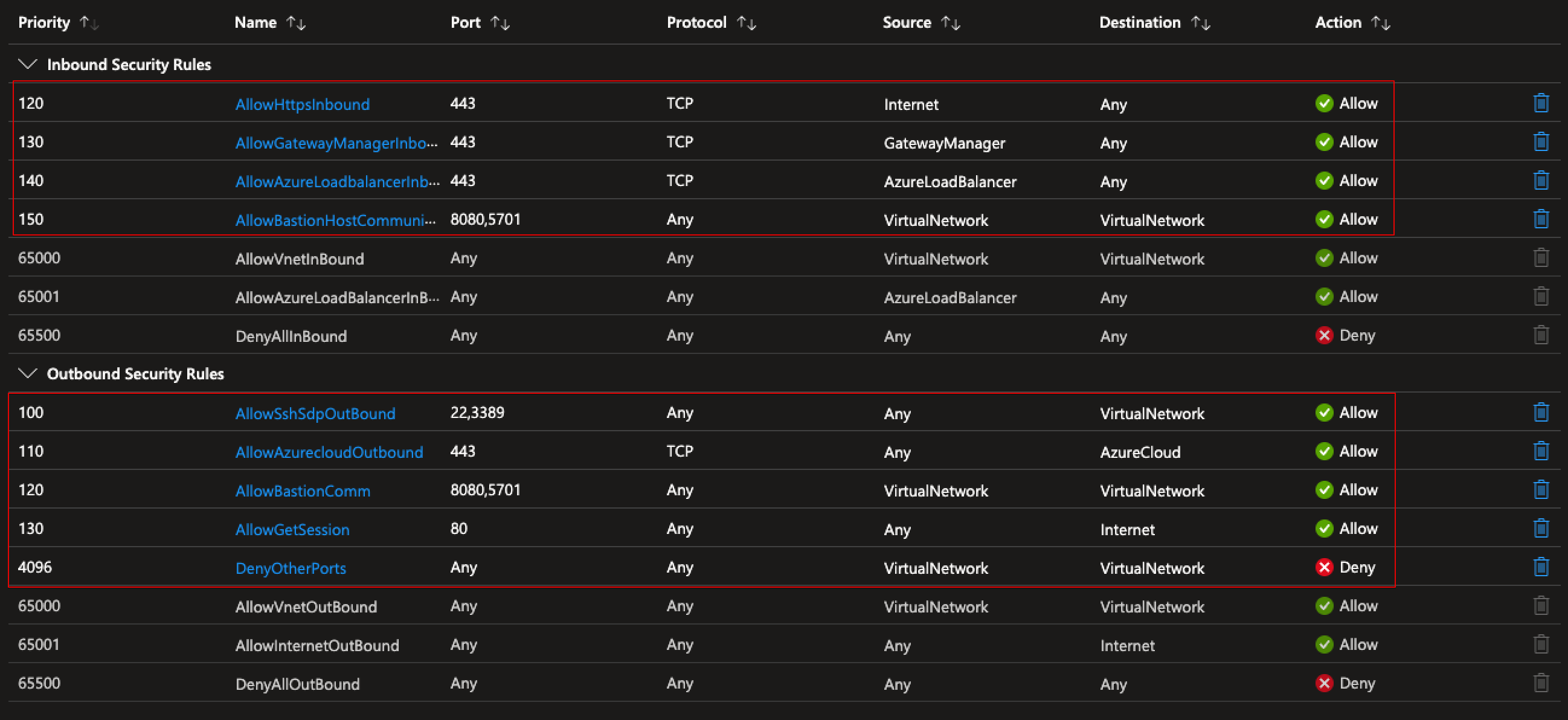
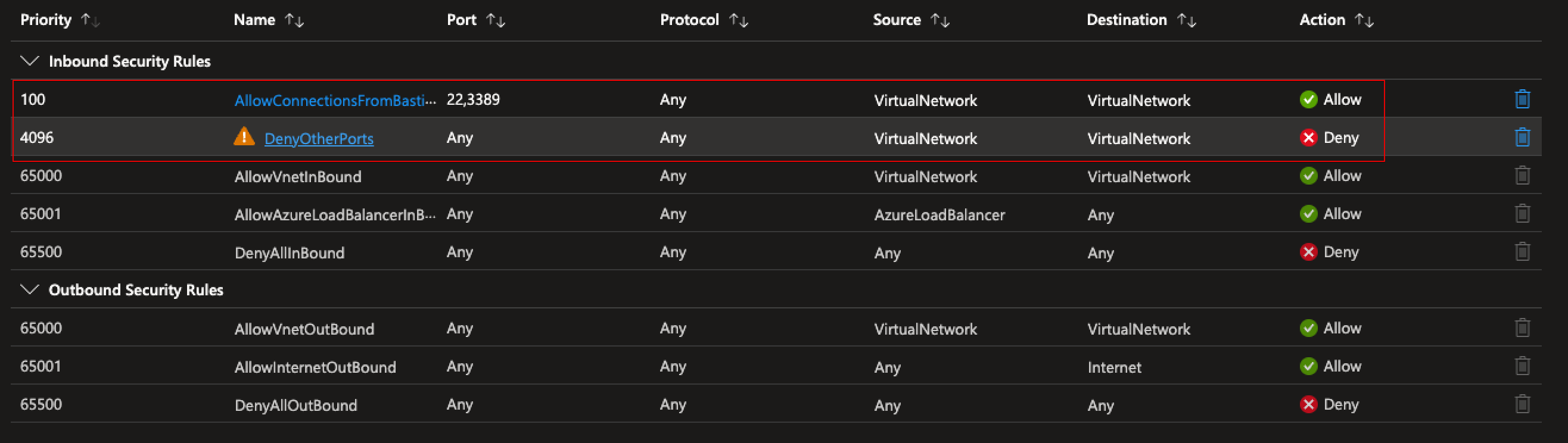
Below are the NSG rules required:
- Allow inbound HTTPS (443) from the internet to the AzureBastionSubnet
- Allow outbound from Bastion to VMs on ports 3389 (RDP) and 22 (SSH)
- Allow Bastion management traffic (ports 8080, 5701) from the Gateway Manager
Phishing Resistant MFA with Bastion
To use phishing resistant authentication through Bastion, you need:
- Azure Bastion Standard SKU or above — needed for Native Client connections
- Entra ID authentication on the VM — the VM must have the Entra ID login extension installed and the user must have VM Login role assigned (VM User Login for standard, VM Administrator Login for admin)
- Conditional Access policy — requiring phishing resistant MFA (FIDO2 / Windows Hello for Business / Certificate-based auth) for Azure VM access
- PIM for just-in-time access — optional but highly recommended
PIM Role Configuration
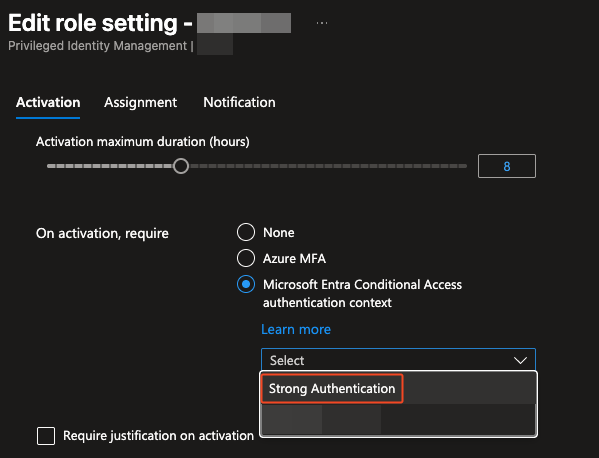
Using PIM for the VM Login roles means there is no standing access. Users activate the role when needed, which creates an audit trail and limits the exposure window.
Connecting via Native Client
With Azure Bastion Standard, you can connect using the native Azure CLI + RDP/SSH client instead of the browser:
1
az network bastion rdp --name <bastion-name> --resource-group <rg> --target-resource-id <vm-id>
This is important because phishing resistant MFA works with the native client flow in a much cleaner way than the browser-based one.
Shoutout to Microsoft MVP Jukka Loikkanen who already covered Native Client connections comprehensively: https://jukkaloikkanen.fi/2025/03/07/native-client-connections-with-azure-bastion/
Conclusion
The combination of Networks and NSGs, RBAC, and Conditional Access leaves a lot of misconfiguration possibilities. Phishing Resistant MFA is possible and advisable but it´s not a silver bullet to secure remote access to VMs. Defense in depth is still needed.
Check out my post about securing identities: Securing Azure Identities: The “New” Perimeter in Cybersecurity