Securing Azure PaaS Resources With Network Security Perimeter
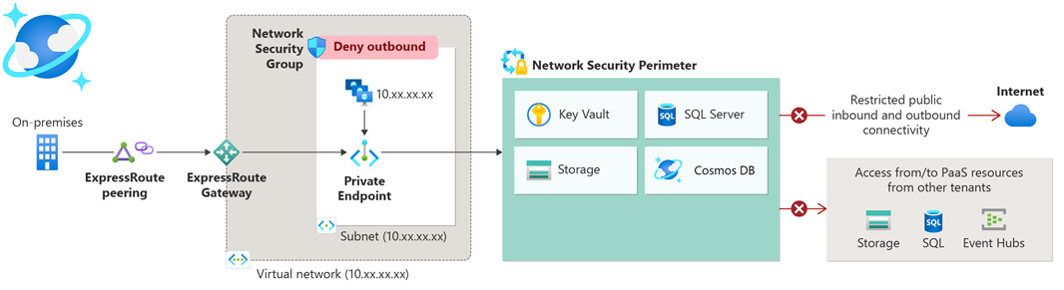
Have you seen Azure environments with resources that have public access allowed or just some limitations to the IP addresses in place? Well, I have. The way to secure these PaaS resources like Storage Accounts, Key Vaults and SQL Servers for example was to put them in a virtual network, create network security groups (NSG), set up Private Endpoints…
Network Security Perimeter (NSP) changes this. What it essentially does, for supported resources, is remove the need for Private Endpoints, virtual networks and NSGs. The supported resources as of March, 2025 are:
- Azure Monitor
- Azure AI Search
- Cosmos DB
- Event Hubs
- Key Vault
- SQL DB
- Storage
Network Security Perimeter is available on all public cloud regions, but it is worth noting that access logs from it can currently only be stored in East US, East US 2, North Central US, South Central US, West US and West US 2.
How does it work?
Here are some key facts about NSPs:
- One Network Security Perimeter can contain up to 200 Profiles and it can have up to 1000 PaaS resources associated with it.
- One Profile can have a total of 200 Inbound and Outbound rule elements.
- Profiles have two modes:
- Learning mode (Default): Helps admins understand the existing access patterns.
- Enforced mode: All traffic is denied, except the traffic allowed within the profiles.
The key thing here is the profile which defines the inbound and outbound rules to the perimeter. Much like Network Security Groups do but slightly different.
A little demonstration
Demo one with a Key Vault
To set up the test I created some NSP-supported resources that have default networking settings (Public access enabled from all networks):
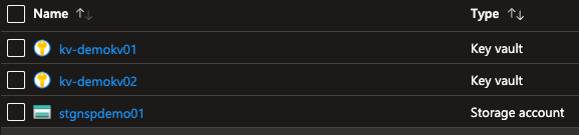
I also have a Linux machine on the same subscription with access to all of the above resources. The managed identity of the VM has Key Vault Secrets User assigned on the Key Vault, and I´m logged in with it.
Now, since all of the PaaS resources are open to the world, I need to secure them so that only my VM can access them. I create a Network Security Perimeter and associate the selected resources to it:
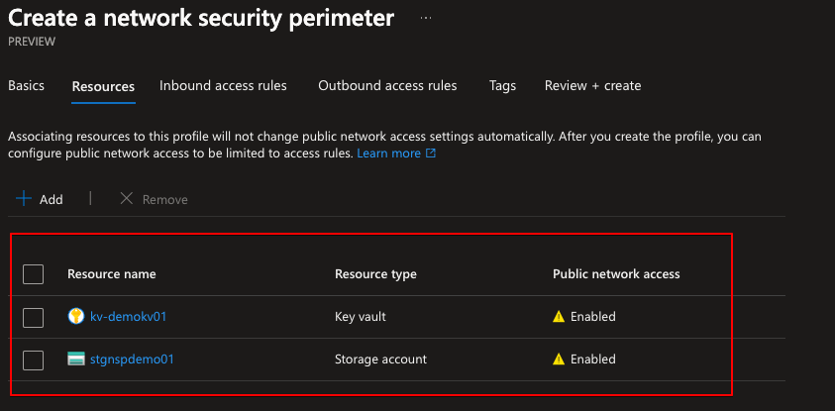
I don’t create inbound or outbound rules right now because of the demo, but you can. The NSP is created and you can see the resources associated with it as well as the profile assigned to them. Notice that they both are in learning mode:
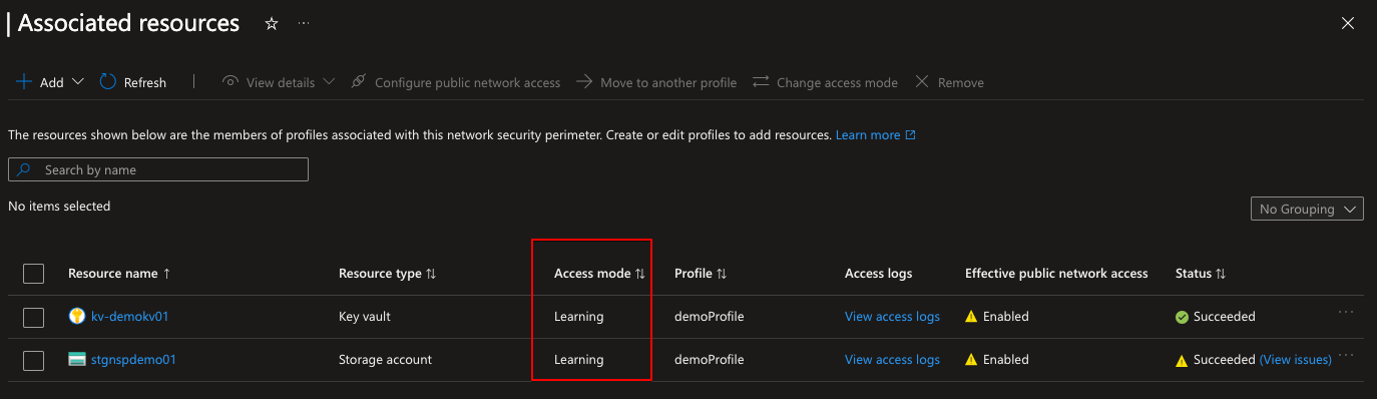
Let’s change the mode to Enforced:
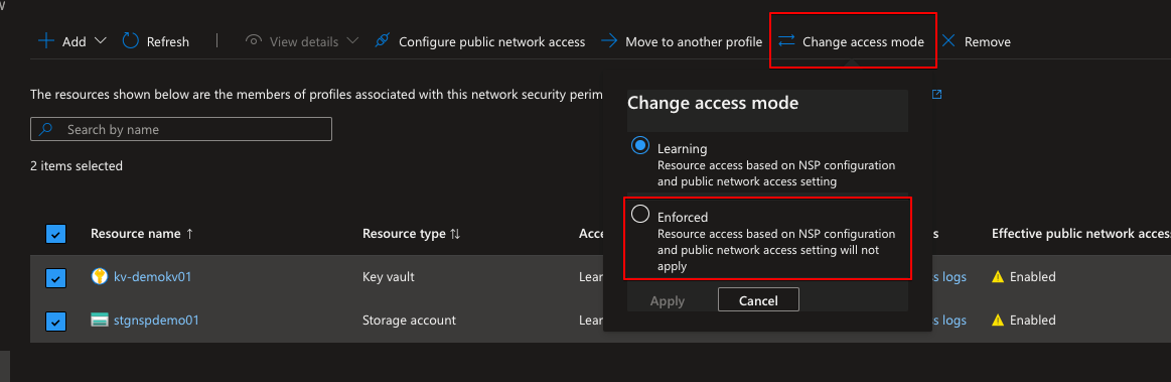
After enforcing we can see that the access mode changed and the Effective public network access status changed. Now it is not possible to connect to the resource because I did not add any inbound rules on NSP creation.
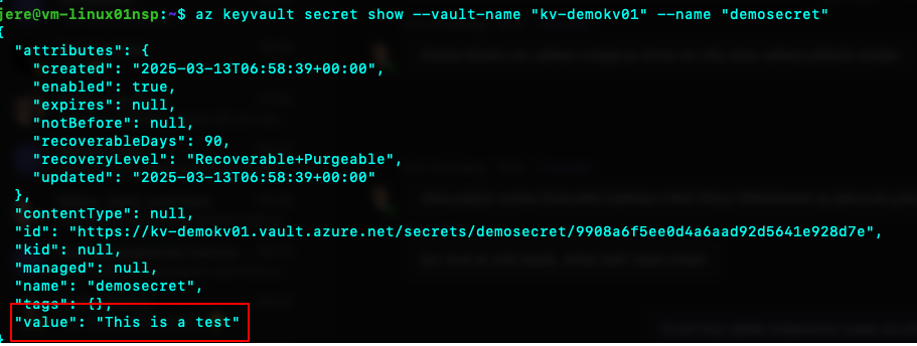
After adding an inbound rule with the VM’s subscription scope, the VM can access the Key Vault again:
Demo two with a Storage Account
Now that the Key Vault is working nicely it´s time to gain access to the Storage Account. The inbound profile was set up to allow access from that subscription to the NSP, but when I try to go to read my container on the storage account via a browser from my machine, I get denied.
After adding my IP as an inbound rule and refreshing the browser, I can access the blob. Just to confirm that the NSP is working, I was denied access when trying from another IP address. ✅
Conclusion
Network Security Perimeter is in Public Preview at the time (March, 2025) and is currently free. You should expect some sort of price tag either when it goes GA or later on.
The network security perimeter is sort of a silver bullet for PaaS resources. It is easy to implement and gets resources behind a perimeter where you know that anyone cannot try to access them via the internet.
Make sure to check my previous post about Azure identities: Securing Azure Identities: The “New” Perimeter in Cybersecurity